This blog looks at how a workflow automation platform can take the repetitive load out of daily operations, from quotes and follow-ups to invoices and rosters. The scale of the issue shows in the data. Asana's 2022 Anatomy of Work Index reports that 58% of the working day goes on coordinating work instead of doing skilled tasks. Having lived this ourselves, we created a connected operations platform for growing teams, and this article sets out what we have learned along the way.
Objective: We want to explain, in practical terms, how a workflow automation platform cuts routine admin, and what to look for when choosing one.
Key takeaways
- Most lost time comes from coordinating work, not from the work itself.
- Linking the software you already own usually beats swapping it out.
- The best automation prepares tasks and leaves the final call to your people.
- In our own company, admin effort fell by roughly 80%.
- Hands-on onboarding matters more than a long feature list.
What Is a Workflow Automation Platform?
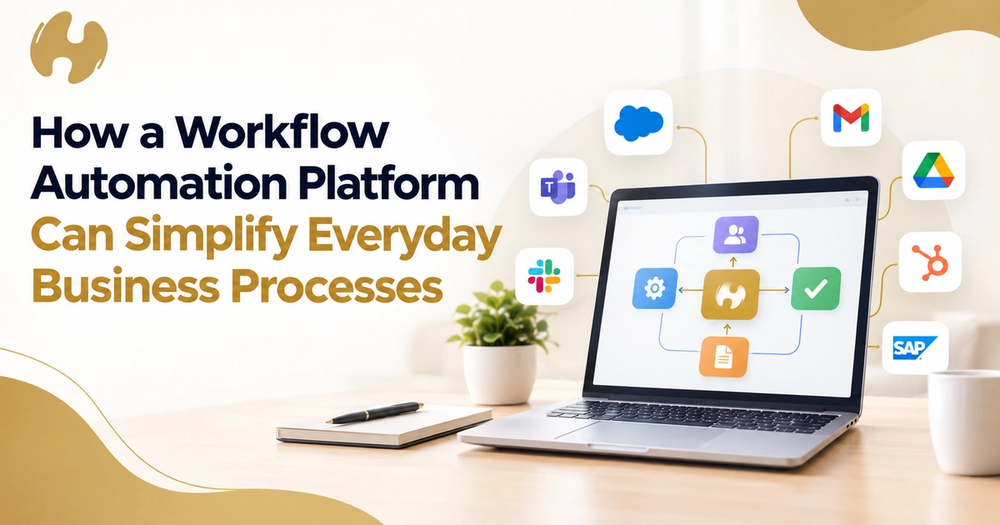
A workflow automation platform links your everyday software so that routine steps happen on their own. Take a booking. Rather than someone copying details from an email into a rental system, then into accounting, then into a calendar, the platform passes the details along automatically.
How Does This Differ From Separate Apps?
Individual apps are strong at one task but tend to work in isolation. Ours sits above them, linking tools such as Xero, Google Workspace and HubSpot so information flows in both directions. You keep the tools you already know.
What Keeps the Answers Consistent?
A shared knowledge layer, which we call the company brain, records how your team quotes, replies and makes decisions. Answers then stop depending on the two longest-serving people.
Why Do Everyday Business Processes Need Automation?
Small frictions add up to lost days each week. These are the ones we see most often:
- Quotes sit in a queue until someone has a spare hour.
- Invoices get chased only when somebody remembers.
- The same customer details are typed into several systems.
- Ownership is vague, so tasks quietly stall.
We saw every one of these at Chandeliers To Die For, the Sydney events hire firm we ran ourselves. Rental software, accounting, email and runsheets all sat apart. After we linked them, quoting fell from about five days to about one, and we estimate around $250,000 a year came back. Our customer story has the details.
Which Everyday Processes Can a Workflow Automation Platform Simplify?
Here are the five areas where we see the biggest gains:
1. Email and Follow-Ups
Andy, the assistant built into our system, writes draft replies and chasers based on how you normally communicate. A team member reviews each one before it goes out.
Enquiries and Quotes
Andy can pull current rates and availability into a first-draft quote for your review.
A Worked Example
An enquiry lands on Tuesday afternoon. By Wednesday morning, a priced draft is sitting in your queue.
2. Invoicing and Payments
Invoices are generated from the confirmed booking, and reminders go out on schedule once approved.
3. Scheduling and Rosters
Calendars and crew rosters follow the way your people really work, so the week is not rebuilt by hand.
4. Reporting and Handovers
Weekly runsheets are compiled from booking data, so nobody retypes them.
5. Company Knowledge
Ask a question such as cancellation terms and receive a sourced answer straight away.
To see the assistant at work, take a look at Andy.
Where Does AI Fit Into Everyday Automation?
Online roundups of the best AI platforms and intelligent automation tools tend to compare features in the abstract. We suggest a simpler test: does the AI understand how your business actually operates, and does it check with you before acting?
Is a Workflow Automation Platform Safe for Sensitive Business Data?
Sharing email, accounts and customer records takes trust, so we designed our safeguards around that. In summary:
- Each client's data lives in its own separate database.
- Signing in requires a second verification step.
- Connections request only the permissions a task needs, and you can review or withdraw them.
- Outgoing messages and changes are reviewed by a person first.
- Every action is logged with who did it and when.
- Client data is never used to train models, and our SOC 2 process is under way.
Our security page explains each point further.
How Do You Choose the Right Workflow Automation Platform?
Work through this checklist when comparing options:
- Check that it links to your existing tools through their official connections.
- Find out who carries out the setup. We handle mapping, building, connecting and running, as described under how it works.
- Make sure a person signs off outbound actions.
- Look for experience in your sector, for example through our industry examples.
- Ask what ongoing support looks like after launch.
If it helps to talk options through, arrange a call with our team and we will look at where your hours are going.
Frequently Asked Questions
What does a workflow automation platform cost?
It depends on your tools, team size and the processes involved. We scope it after an initial conversation, then present a proposal so you know exactly what is covered.
Do I need to drop my current software?
Not usually. We link it with your existing accounting, email and CRM tools.
How long does it take to get started?
The timeline varies with the number of tools and processes. What stays constant is that the setup work sits with us rather than your team.
Do I need technical skills?
No. Our team handles configuration and adjusts it as your business changes.
Which industries suit this approach?
We work with construction and trades, events and hire, professional services, allied health, real estate and retail businesses.
Start Simplifying Your Business With a Workflow Automation Platform
Routine admin should not swallow your week. Once your software is linked, your business knowledge is captured and an assistant handles the groundwork, your team can return to the work that matters. We would be glad to show you how. Speak to us about a discovery call and we will begin with one process.