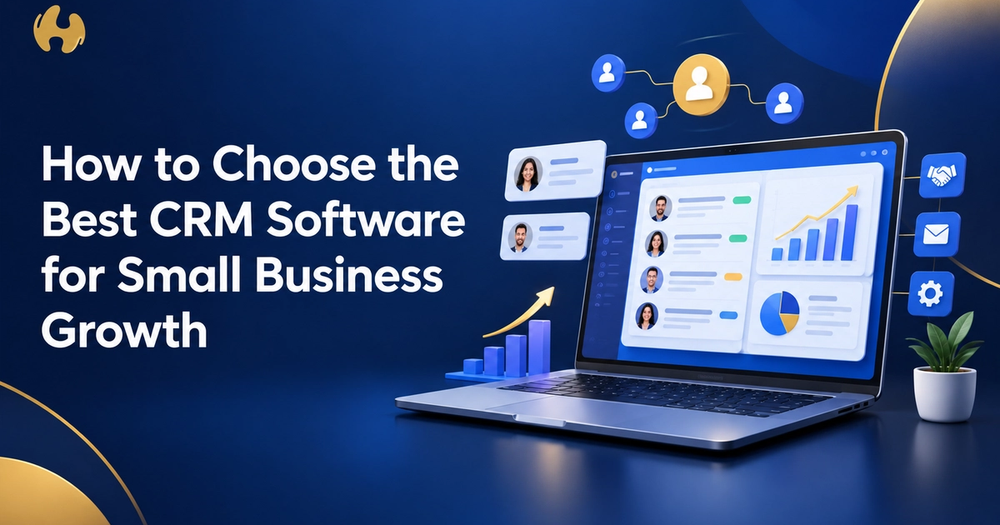
The best CRM software small business owners can pick is the one your team will actually open every morning, one that tracks your leads and customers in one place, costs what your budget allows, and grows with you instead of holding you back. That's really the whole secret. Fancy features matter far less than simple habits.
Here's the part that surprises most people. The global CRM market is projected to hit $126.17 billion in 2026, according to Fortune Business Insights data compiled by Wave Connect. Hundreds of tools are fighting for your attention, which makes picking one feel overwhelming. Stick with me, and I'll help you cut through the noise in a few minutes.
Why Does a Growing Business Need a CRM in the First Place?
Think about where your customer info lives right now. Maybe it's a spreadsheet, a few sticky notes, and your own memory. That works fine at ten customers. At a hundred, things slip through the cracks.
A CRM gives you one home for every conversation, follow-up, and deal. Good CRM software small business teams adopt early saves hours of digging through inboxes and stops warm leads from going cold. The U.S. Small Business Administration also stresses that managing your business well means keeping organised records and systems from the start.
What Qualities Should a CRM Have?
Skip the 200-feature brochure. You need a handful of tools that solve real daily problems.
Can It Handle Contacts and Leads Well?
Start with the basics. Solid contact management software stores names, emails, notes, and past conversations in one searchable profile. When a customer calls, you should know their story in five seconds.
Next, look at how the tool handles new prospects. Strong lead management software captures leads from your website, social media, and emails automatically, then shows you which ones are ready to buy.
Does It Show Your Sales Pipeline Clearly?
A visual pipeline lets you see every deal and where it's stuck. If you can't glance at it and understand your month, the layout is too complicated. Many people also call this sales management software, so don't be surprised when tools use both terms.
What Else Is Worth Having?
Keep this short list handy:
- Email integration so messages sync without copy-pasting
- Task reminders that nudge you before a follow-up gets missed
- Mobile app for updating deals from a client's parking lot
- Simple reports showing what's working, in plain numbers
- Easy integrations with tools you already use, like your calendar and accounting app
How Do You Compare Different CRM Options?
Don't compare brand names. Compare how each tool handles your needs. When you shop for crm software small business budgets can support, this table keeps you honest:
What to Check
What Good Looks Like
Red Flag
Ease of use
Your newest hire figures it out in a day
Needs a training course
Pricing
Clear per-user cost, no surprise add-ons
Key features locked behind upgrades
Scalability
Plans that grow as your team grows
Forces a full switch at 10 users
Support
Live chat or phone help
Only a forum
Data export
Download your data anytime
Hard to leave
Not sure which CRM fits your business? The team at The Artificial Organisation can help you cut through the options and build a setup that works for you.
How Can You Test a CRM Before Committing?
Never buy on a sales demo alone. Demos always look perfect.
What's the Smartest Way to Run a Trial?
For two weeks, try the free trials of two or three different tools side by side. Load 20 real contacts. Log a few real deals. Then ask yourself one question: did this make my day easier?
Who Should Join the Test?
Bring in the people who will use it daily, not just the boss. If your salespeople hate it, they'll quietly stop using it, and then your crm software small business investment becomes an expensive ghost town.
What Mistakes Should You Avoid When Picking a CRM?
Most regrets come from the same few errors:
- Paying for features you'll never touch. Start small and upgrade later.
- Ignoring data safety. The FTC offers clear guidance on protecting customer data, so check how any vendor stores yours.
- Forgetting email rules. If your CRM sends marketing emails, follow the FTC's CAN-SPAM guide.
- Skipping team training. Even a great tool fails if nobody knows how to use it.
- Choosing only on price. The cheapest option often costs more in wasted time.
Your Next Step: Pick CRM Software Small Business Owners Can Grow With
Write down your top three daily headaches, such as lost leads, messy follow-ups, or scattered notes. Then pick the tool that fixes those first. Run a two-week trial, get your team involved, and check your numbers after a month.
Choosing well isn't about finding a perfect tool. It's about finding one that fits how you work today and still makes sense when your team doubles. If you'd like a hand turning that choice into a real system, The Artificial Organisation is happy to help you plan it.
Frequently Asked Questions
What is the easiest CRM for a small business to use?
The easiest CRM is the one with a clean dashboard, drag-and-drop pipeline, and quick setup. Many popular tools offer free trials, so test two or three with your own data. If you need a manual to log a simple call, move on. Ease matters more than extras because a simple tool gets used daily, while a complex one gets abandoned within weeks.
Do small businesses really need a CRM, or is a spreadsheet enough?
A spreadsheet works when you have a few dozen customers and one person handling them. Once you add team members, follow-ups, and repeat buyers, spreadsheets break. They can't send reminders, track email history, or show your pipeline at a glance. A good rule: if you've ever forgotten to follow up with a lead, you've outgrown the spreadsheet.
How much does CRM software cost for a small business?
Plenty of CRMs give you a free plan that covers the basics, like storing contacts. Paid plans usually bill per person, per month, and the price jumps once you want automation or fancy reports. Before you sign, ask about hidden fees, setup charges, and how long the contract runs. Start small, then upgrade when you need to.
How long does it take to set up a CRM?
Basic setup, like importing contacts and building a simple pipeline, can take a day or two. Getting your whole team comfortable usually takes two to four weeks. Plan time for cleaning your old data first, since messy imports create messy results. Rolling out in stages, starting with contacts and then adding deals, makes the switch much smoother.
How do I get my team to actually use the CRM?
Show them what's in it for them, not just for you. Explain that it saves them typing, reminds them of follow-ups, and helps them close more deals. Keep required fields minimal, lead by example by using it in meetings, and ask for feedback in the first month. When people see the tool making their job easier, adoption follows naturally.